معلومات المنتج
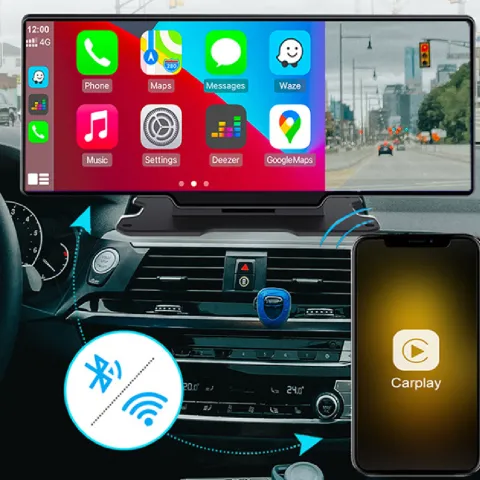
Please note that you should remove the SD card before upgrading thefirmwareand insert it back in after the upgrade is completed, otherwise theGPS ornavigation will not work properly. Easy Installation For Mazda Carplay retrofit kit Specifications: Upgrade your car original system and screen with wired carplay and android auto function. The firmware MUST BE UPDATED FIRST before beginning the installation. If an older version of the MCU software is being used, the CarPlay/Android Auto-compatible USB hub may not be recognized. The software must be v70.00.21 or later. If not be sure to update the software. Once the CMU has been attached to the CarPlay/Android Auto-compatible USB hub, the software cannot be updated. BEFORE you START, Switch CAR OFF, Then Remove Navigation 'SD Card' and LEAVE the SD Card OUT of the Car until the FINAL File is Installed, Then Car OFF again, then Insert SD Card. Then start car. The Navigation will work as normal when using CONNECT. Stay connected to your world while keeping your eyes focused on the road with our smartphone screen mirroring kit. This upgrade kit enhances the MAZDA CONNECT infotainment system with Apple CarPlay allowing you to access your iPhone’s maps, playlists, contacts and compatible apps with your voice through Siri. Siri will also read incoming text messages and allow you to reply without taking your hands off the wheel. You can also navigate the features of Apple CarPlay with the optimally positioned multifunction Commander control. For Android users, this upgrade also adds Android Auto functionality.
مواصفات المنتج
محول كاربلاي وأندرويد أوتو USB لسيارات مازدا 2 3 6 CX3 CX5 CX8 CX9
- بيع منه ٦٠ حول العالم
- رضا المشترين ٩٥٪
🚚 يصلك تقريباً بين 6 كانون الأوّل و19 كانون الأوّل
حماية المشتري: إن وصلتك القطعة تالفةً أو مختلفةً عن الوصف أو لم تصل، نعيد لك المبلغ كاملاً. بلّغنا خلال ١٤ يوماً من الاستلام مع صورة.
 الدفع عند الاستلام (نقداً)
 شام كاش