Product information
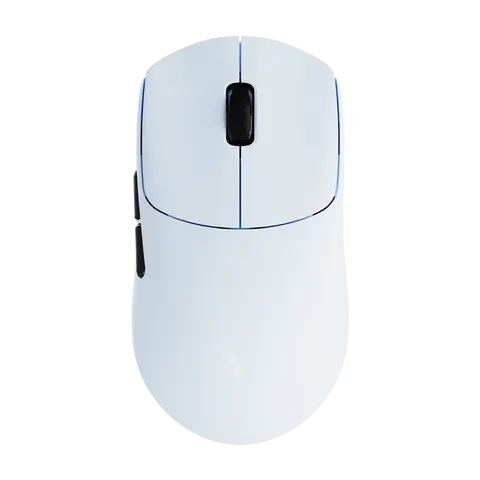
Steps to connect keyboard Bluetooth Please turn off the iPad`s Bluetooth first, and then turn on the iPad`s Bluetooth. After powering on keyboard, Simultaneously press two buttons (Fn+C) to activate Bluetooth. The Bluetooth keyboard name will appear on the tablet, The first connection may be slow. Please try a few more times. thanks 4 steps to open a new era of office . The power light is on . The bluetooth light is on . Turn on iPad Bluetooth . Connect Bluetooth DUAL MODE BLUETOOTH MOUSE (BT 4.0 + 2.4GHz): dual mode wireless mouse realizes free switches between two devices with one mouse only by only one click. 【Please turn on the "Assistive Touch" on iPad: Setting-Accessibility- Assistive Touch for an iPad usage.】 How to connect Bluetooth Step 1: Turn on bluetooth Step 2: Hold down the three keys "Ctrl + FN + C" at the same time, the connection is successful. Keyboard introduction Connection method: Bluetooth Connection distance: 8m-10m Compatible system: IOS/Android/Microsoft Suitable for: smart phone/tablet/laptop (need to have Bluetooth function) Smart sleep: no use, sleep after 30 minutes Continuous use time: 100 hours Standby time: 100 days Charging time: 3-4 hours Mouse introduction Connection method: Bluetooth/2.4GHz Wireless USB Connection distance: 8m-10m Mouse DPI: 800/1200/1600 Compatible system: IOS/Android/Microsoft Suitable for: smartphone/tablet/laptop/computer Smart sleep: no use, sleep after 3 minutes Continuous use time: 100 hours Standby time: 100 days Charging time: 2-3 hours Multi-function Shortcut Keys Let you operate iPad more conveniently Basic key combination Switch apple system: FN+E Chinese and English input method switching: FN+Space Show physical keyboard: FN+Control Switch software: Conmmand+Tab Case switching: Capslock (If the iPad cannot be set first: Set one + general + keyboard + physical keyboard + turn off the caps lock key to switch the Latin keyboard) Note: If you need to use various countries (Korean, Japanese,etc.), please set the system to add a keyboard (IPAD Settings-General-Keyboard-Add Keyboard)
Product specifications
Wireless Magic Keyboard and Mouse Case for iPad
- 609 sold worldwide
- 89.3% buyer satisfaction
🚚 Arrives approx. November 16 – November 29
Buyer protection: full refund if your item arrives damaged, not as described, or never arrives. Report it within 14 days of delivery with a photo.
 Cash on delivery
 Sham Cash