Ürün bilgileri
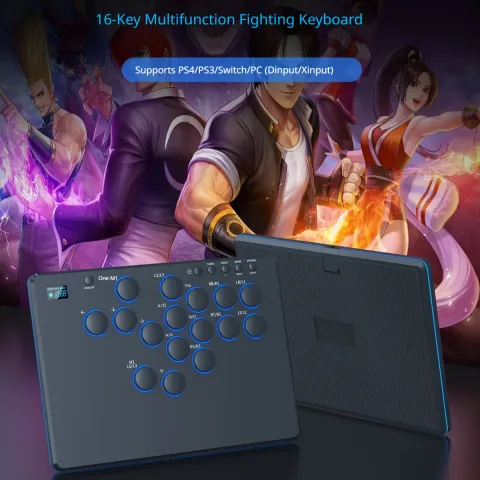
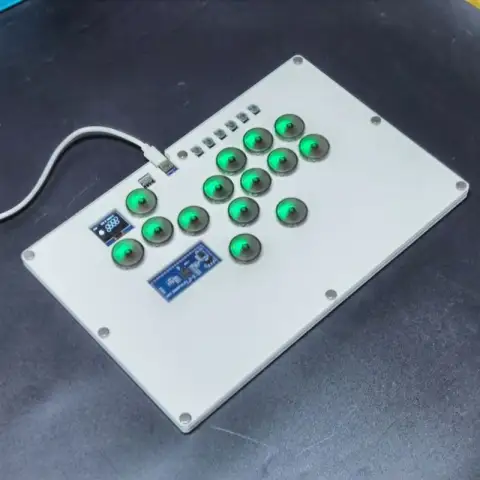
Feature: 1. A total of 16 keys and 3 knobs; the functions of each button and knob can be customized by pressing the clockwise or counterclockwise knob; 2. Various LED light effect settings; 3. Divided into three layers (LED indication), it can meet different usage needs, avoid multiple settings, improve work efficiency, and enhance entertainment and leisure experience; 4. It has an ultra-thin design and is equipped with a silicone anti-slip pad at the bottom. It has a grand appearance and is easy and stable to use; 5. Set up on the WIN computer first, and then use it on other systems;you can set combination shortcut keys,could enter max 18 characters one key, the keyboard has It has a storage function. 6.if need to use bluetooth function,please first setup when wired, then connect via bluetooth,un-wired,software will show:disconnect but the keyboard will remember your setup,you can keep to use. In Bluetooth or 2.4G mode, keyboard will auto turn off the lights to work longer. Wired Version Package includes 1*Keyboard 1*usb data cable Wired Bluetooth Version Package includes 1*Keyboard 1*usb data cable Wired BT 2.4GConnect Version Package includes 1*Keyboard 1*usb data cable 1* USB 2.4G receiver Scan the QR code to download. If it doesn't work, you can scan the backup QR code. Alternatively, you can open the link below to download, both links are available. Download the entire folder, then open the folder and open the software choose version according to your computer Connect the keyboard to the computer directly with the USB cable comes within the packaging box .Do not use tools such as docking station hub You can set your own combination keys,for example: you select Ctrl+in the Ctrl shift alt page,then select C on the base keys page,and click Download. This way, you will get a combinationkey,Ctrl+C. The other settings also use this method. 6 lighting modes can be set. Among them, LED model 0 is to turn off the lights. When setting up,first click on LED model 1 (or LED model 0 2 3 4 5), then click save settings to save it.The color square below is meaningless and will not affect the switching of RGB mode. It can be set without clicking. Just click on LED Mode 0-5 and then click save settings to switch between RGB modes Led model 0 to turn off the light When setting up,first click,led model 0, and then click save settings to save it. Led model 1 Led model 1 is 16keys all light with different clolor When setting up,first click,led model 1, and then click save settings to save it. Led model 2 Led model 2 is when press,light up,not press,not light When setting up,first click,led model 2, then click save settings to save it. Led model 3 Led model 3 is , When you press a button, the buttons on the cross shaped path centered around the button you press will light up When setting up,first click,led model 3,and then click save settings to save it. Led model 4 Led model 4 is , All 16 buttons will light up, and the color of each button will switch by itself, creating a dynamic lighting effect overall. When setting up, first click, led model 4, and then click save settings to save it. Led model 5 Led model 5 is , All 16 buttons will light up, and the color of each button will switch by itself, creating a dynamic lighting effect overall. Compared to the LED model 4, the jumping amplitude will be gentler To use a wireless connection, such as Bluetooth or 2.4G, please turn on the switch first. To turn left is turned off, and to turn right is turned on. First, use a wired connection, set up the keyboard keys, then unplug the data cable and turn on the wireless switch of the keyboard. Search for nearby devices using the computer's Bluetooth function, select the mini keyboard, and once connected successfully, you can use it. The 2.4G connection method also involves wired connection to the computer first. After setting up, unplug the USB data cable and plug the 2.4G USB plug into the computer to use it Wireless connection, the lights will automatically turn off.
Ürün özellikleri
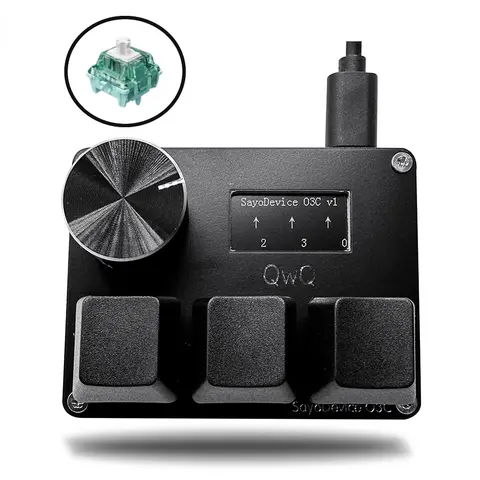
16 Tuşlu 3 Düğmeli Özel Mekanik Oyuncu Klavyesi
- %100 alıcı memnuniyeti
- 1 kaldı
🚚 Tahmini teslim: 9 Aralık – 22 Aralık
Buyer protection: full refund if your item arrives damaged, not as described, or never arrives. Report it within 14 days of delivery with a photo.
 Cash on delivery
 Sham Cash