Ürün bilgileri
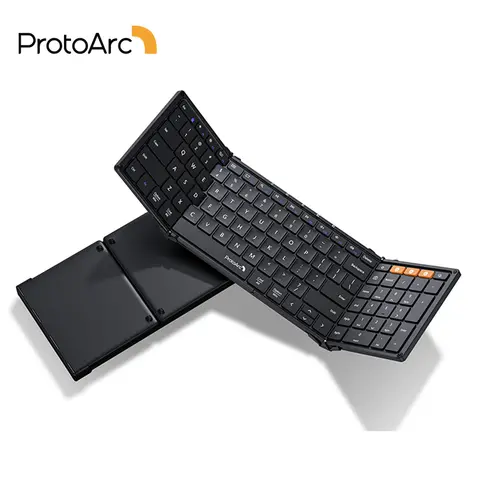
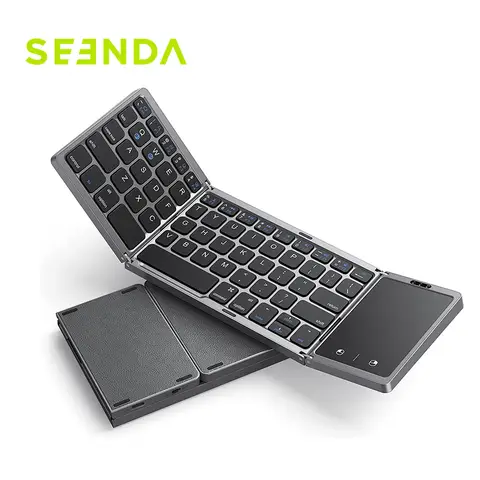
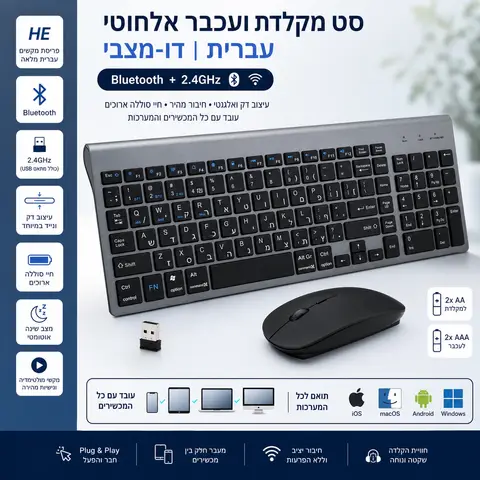
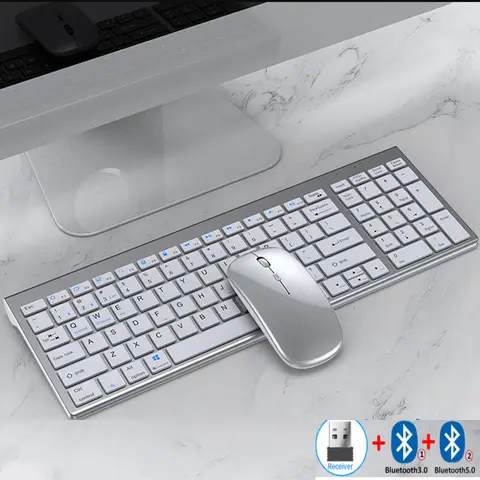
【On-the-Go Tabelt Office】Perfectly compatible with iPhone, iPad Mini, and smartphones, also compatible with Samsung Galaxy Z Fold 8 Ultra/Fold 8 Wide/7/6/5/4/3 Series. This portable phone-sized keyboard with built-in large trackpad supports seamless Bluetooth connection with your devices. It collapses to pocket size for effortless on-the-go typing, browsing and mobile work, helping you build a complete mini mobile office anytime and anywhere without an extra mouse. 【Pocket-Sized & High-Visibility Keys】Measures 7.6×3.3×0.8 inches and weighs 9.9Oz,this ultra-compact foldable keyboard collapses down to pocket size for effortless storage in your pocket or bag. It adopts well-spaced independent keys, and core navigation & function keys come with eye-catching orange contrast design for quick recognition. It effectively reduces typing errors and boosts efficiency, ideal for travel and daily office 【Large Touchpad & Adjustable Stand】:This mini keyboard is equipped with a high-precision large touchpad and F1-F12 function key row and keypad, fully replacing a separate mouse .The built-in adjustable folding kickstand firmly fixes your device at comfortable viewing and typing angle , delivering a stable user experience for office typing, video watching and online classes, and easily turning your phone or tablet into a practical mini laptop for work, study and creation 【Dual-Device Bluetooth Support】This small wireless keyboard features Dual Bluetooth Channels, allowing you to pair 1 or 2 devices simultaneously. After two devices are successfully connected, you can switch between your Galaxy Z Fold and a second device instantly with the shortcut "FN+1" or "FN+2",and the corresponding indicator light will light up 【How to Use Touchpad】①How to lock/unlock the touchpad ? Press and hold the "Fn" key for 2 seconds,keep holding it, and tap the "ESC" on touchpad at the same time to lock/unlock touchpad ②How to use touchpad pointer to "enter "? Only firm press down the bottom zones of the touchpad to click; Single tap or double-tap does not work will not work.Press down the bottom-left area= Left Click (Confirm / Enter) / Press down the bottom-right area= Right Click (Context Menu) ③How to use F1-F12 function key on touchapd? Simply tap the top row keys directly, they act as F1-F12without holding the Fn key 【Premium Protective Leather Cover】Built-in premium leather cover case that provides full protection against drops, scratches and dust. The integrated keyboard and case design allows for easy storage and operation. It effortlessly turns your cell phone, Samsung Z Fold devices and iPad Mini into a portable mini laptop, serving as essential office accessories for daily use 【Warm Tips】 : If Bluetooth connection fails or is unstable, please reset and reconnect as follows: ①Remove "Wireless Keyboard" from your device's Bluetooth list, then turn off the keyboard ②Turn on the keyboard, press and hold the first and last keys on the top row until all indicator lights flash ③The Bluetooth indicator will flash rapidly to enter pairing mode automatically. If not, press Fn + 1 or Fn + 2 ④On your device, search for and select "Wireless Keyboard" to connect
Ürün özellikleri
Dokunmatik Panelli Bluetooth Tablet Klavyesi Her Açıya Uygun Standlı Şarj Edilebilir
- Dünya genelinde 320 satıldı
- %99 alıcı memnuniyeti
- 2 kaldı
🚚 Tahmini teslim: 9 Aralık – 22 Aralık
Buyer protection: full refund if your item arrives damaged, not as described, or never arrives. Report it within 14 days of delivery with a photo.
 Cash on delivery
 Sham Cash